Instant Remote Control
Connect to any Windows, macOS, or Linux device in under two seconds — attended or unattended, with no user action required.


DRS gives your team secure, instant remote access to every device they support — attended or unattended, anywhere in the world. No VPN. No waiting. No downtime.

DRS gives your team secure, instant remote access to every device they support — attended or unattended, anywhere in the world. No VPN. No waiting. No downtime.
Connect to any Windows, macOS, or Linux device in under two seconds — attended or unattended, with no user action required.

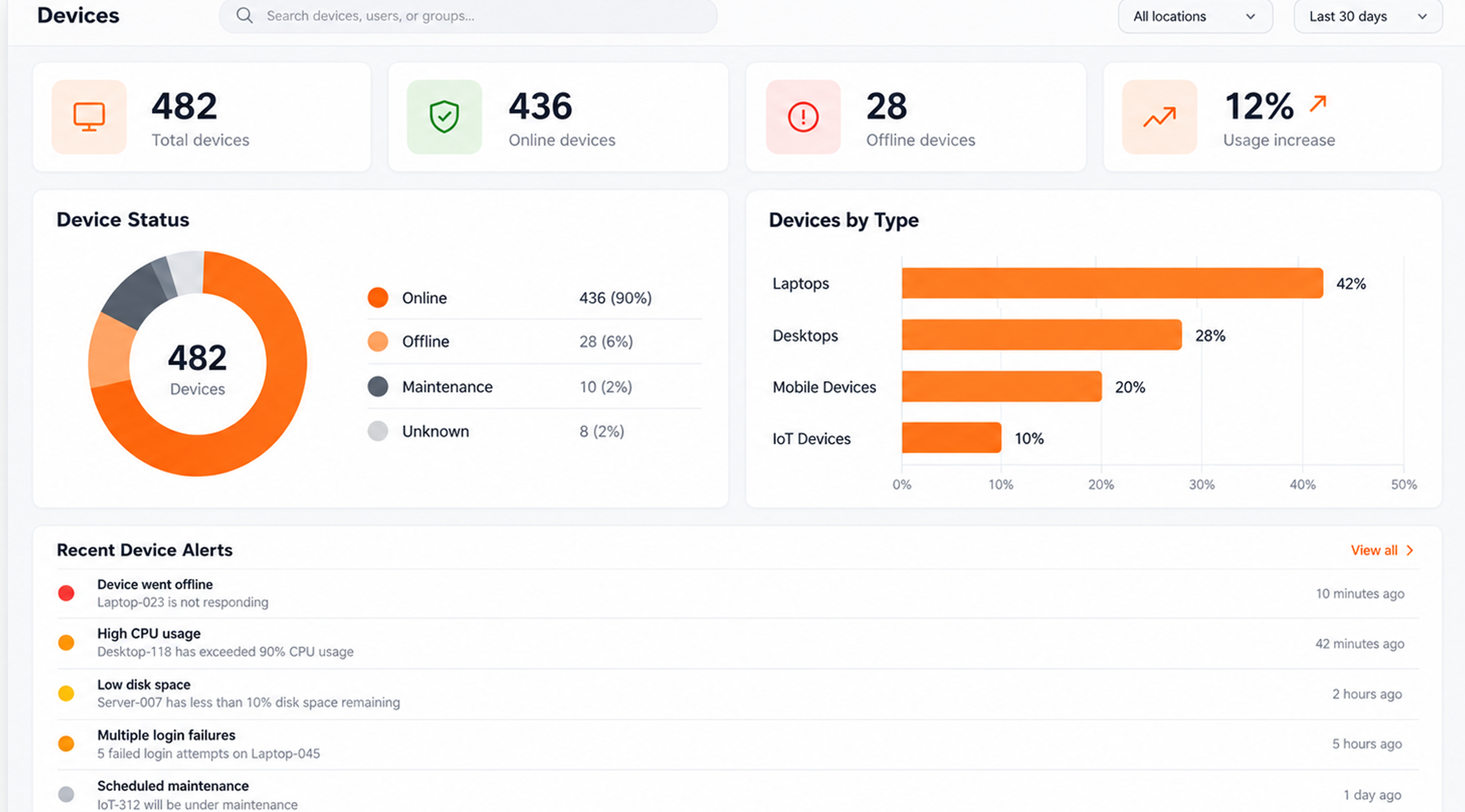
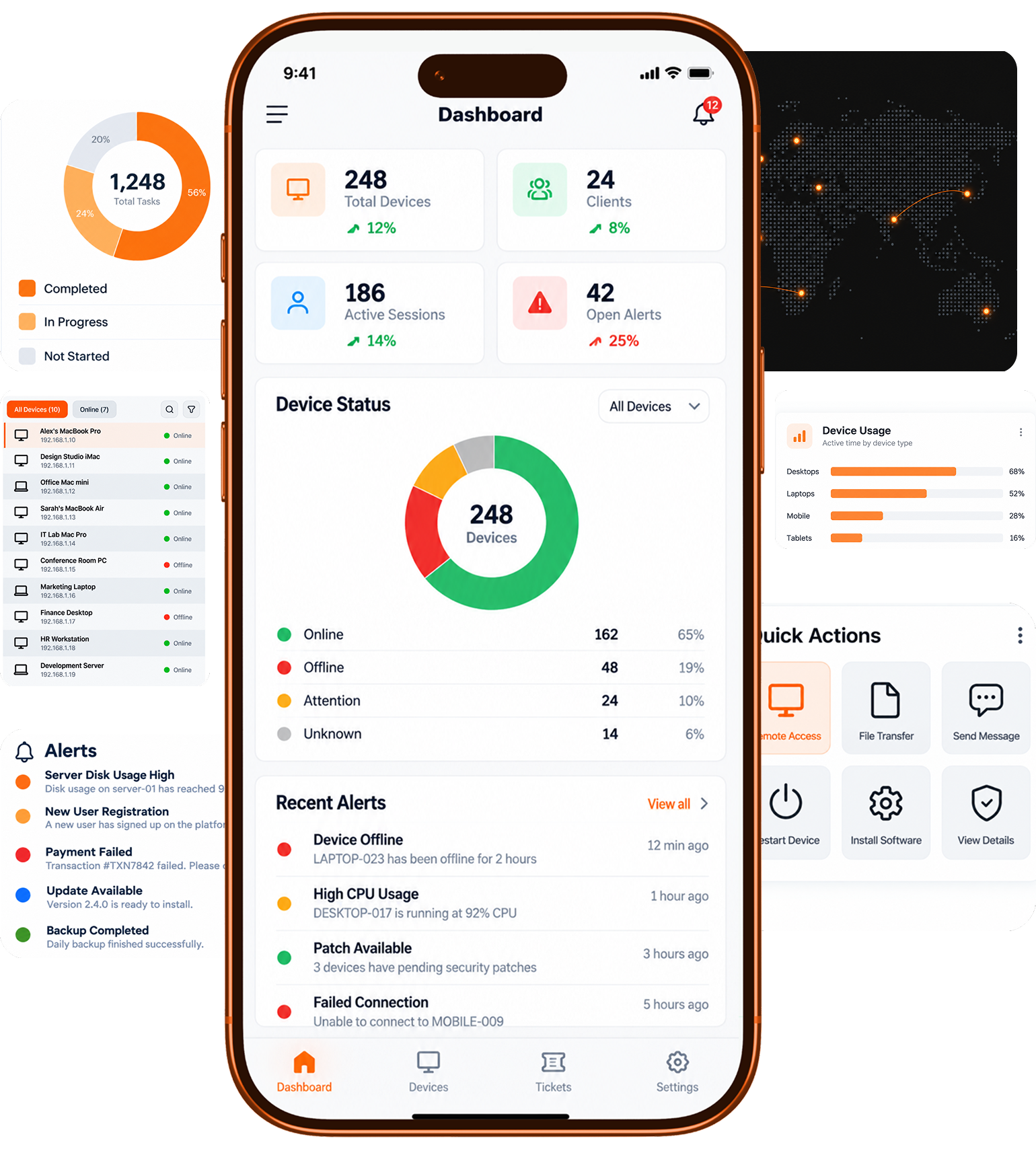
See health, patch status, and alerts across every endpoint you manage, updating in real time on a single dashboard.
End-to-end encryption, enforced MFA, role-based permissions, and a complete audit trail for every session.

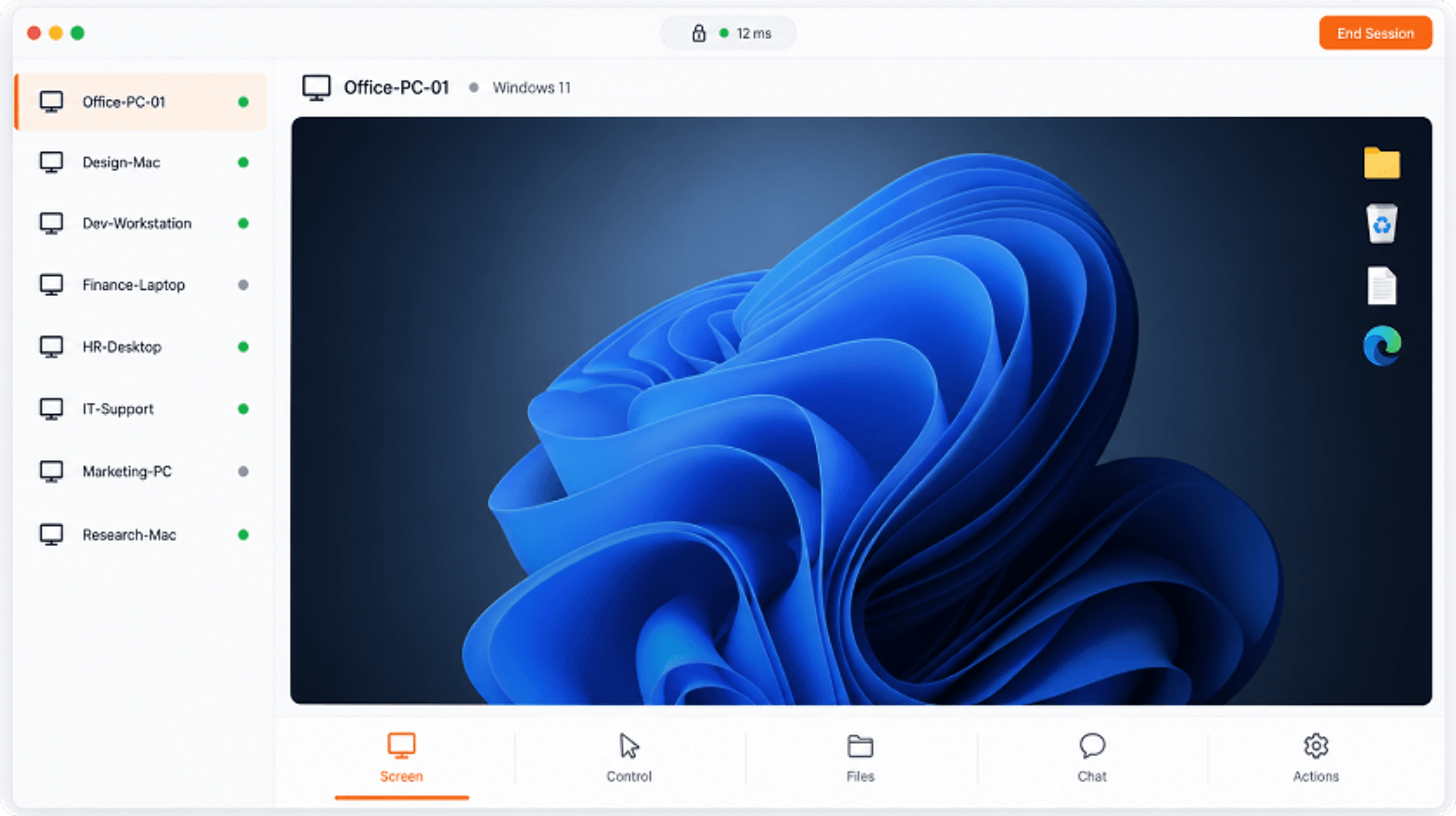
Open the console, pick a device, and you're in. No session codes to read out, no walkthrough call, no waiting for someone to be at their desk.
 Unattended access to offline and headless machines.Built-in chat, remote print, and session recordingMulti-monitor support with per-screen switching.Drag-and-drop file transfer in both directions.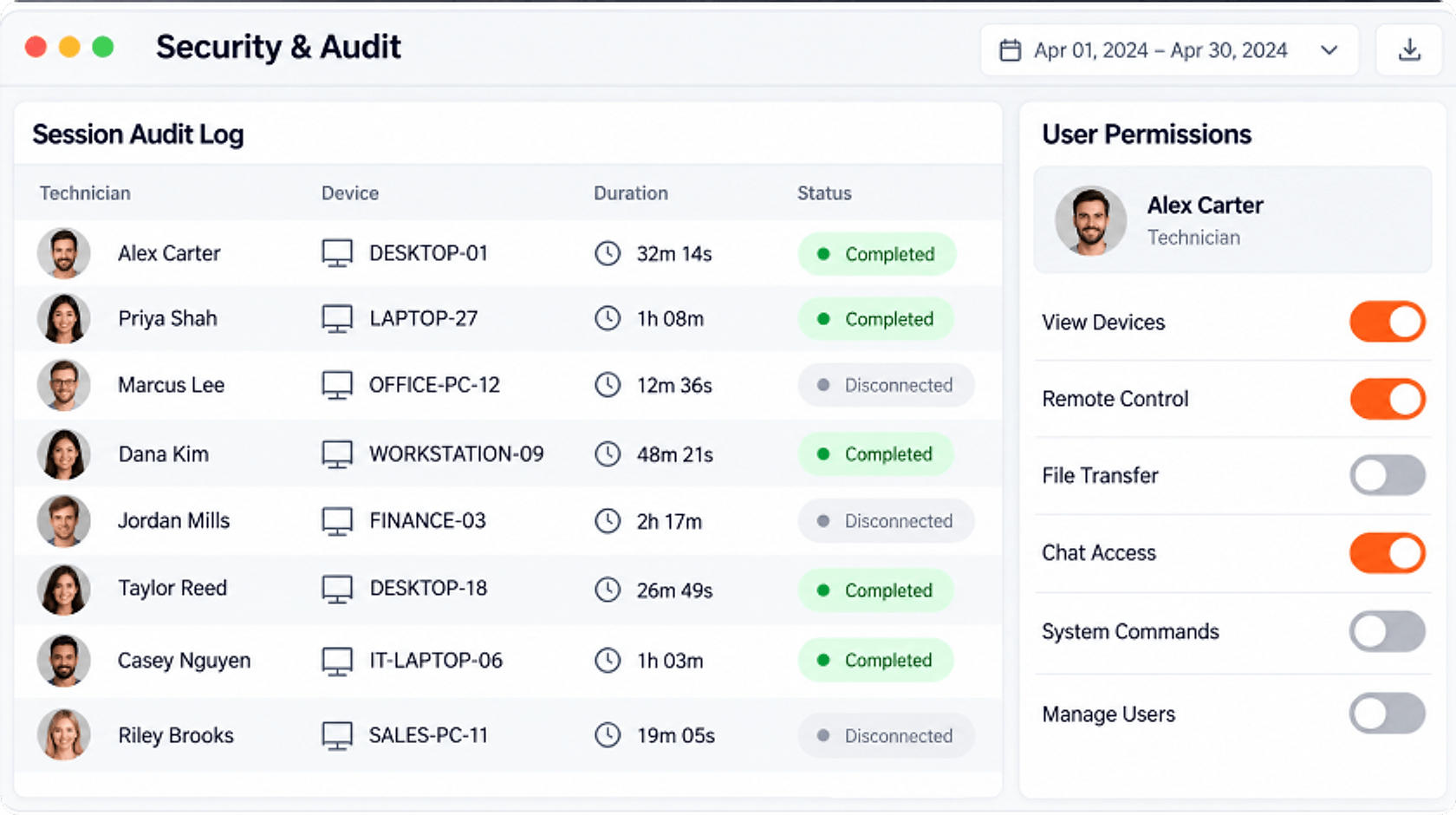
Granular permissions decide who reaches what. Full logs and optional recordings answer what happened, when, and by whom.
Role-based access down to individual device groups.Optional video recording of any remote session.Complete session logs with searchable history.Enforced MFA on every technician account.Live health data from every endpoint you manage, with alert rules you set once and thresholds that actually match your environment.
Patch compliance tracking across Windows, macOS, and Linux.Real-time CPU, memory, disk, and network metrics.Automated remediation scripts triggered by alerts.Custom alert rules routed to the right technician.
Most IT teams don't get to choose a single operating system. DRS works the same across all of them, so your technicians learn one workflow instead of four.


Remote access means handing over the keys. DRS is designed so that every session is encrypted, every permission is explicit, and every action leaves a record you can hand to an auditor.

AES-256 with TLS 1.3 in transit. Sessions are encrypted device-to-device we can't see them either.

Permissions down to individual device groups. Technicians reach only what they're assigned.

Every session logged with technician, device, duration, and actions. Searchable and exportable.
Multi-factor required on every account. No exceptions, no opt-out at the admin level.
Healthcare, retail, logistics, and managed services — DRS runs where a failed connection isn't an option.
We were running three separate tools and still missing SLAs. Six weeks after switching to DRS, our average resolution time dropped from 4 hours to just under 40 minutes — and my technicians stopped complaining about tab-switching.

For small teams that just need access
Every plan includes unlimited technician accounts. Hire, scale, and staff your team without watching a license counter.

For growing IT teams supporting many users
For organisations with strict security needs
You pay per managed device each month. Technician accounts are included free on every plan, so your team can grow without extra licence costs.
Yes. Upgrade, downgrade or cancel at any time from Billing in your dashboard. Changes are prorated automatically by Stripe.
All major credit and debit cards through Stripe. Invoices and receipts are available in the billing portal.
We will let you know before anything stops working, so you can add devices or move to a larger plan.
Free white-glove migration from TeamViewer, ConnectWise, or AnyDesk. We'll even cover your early termination fee.